



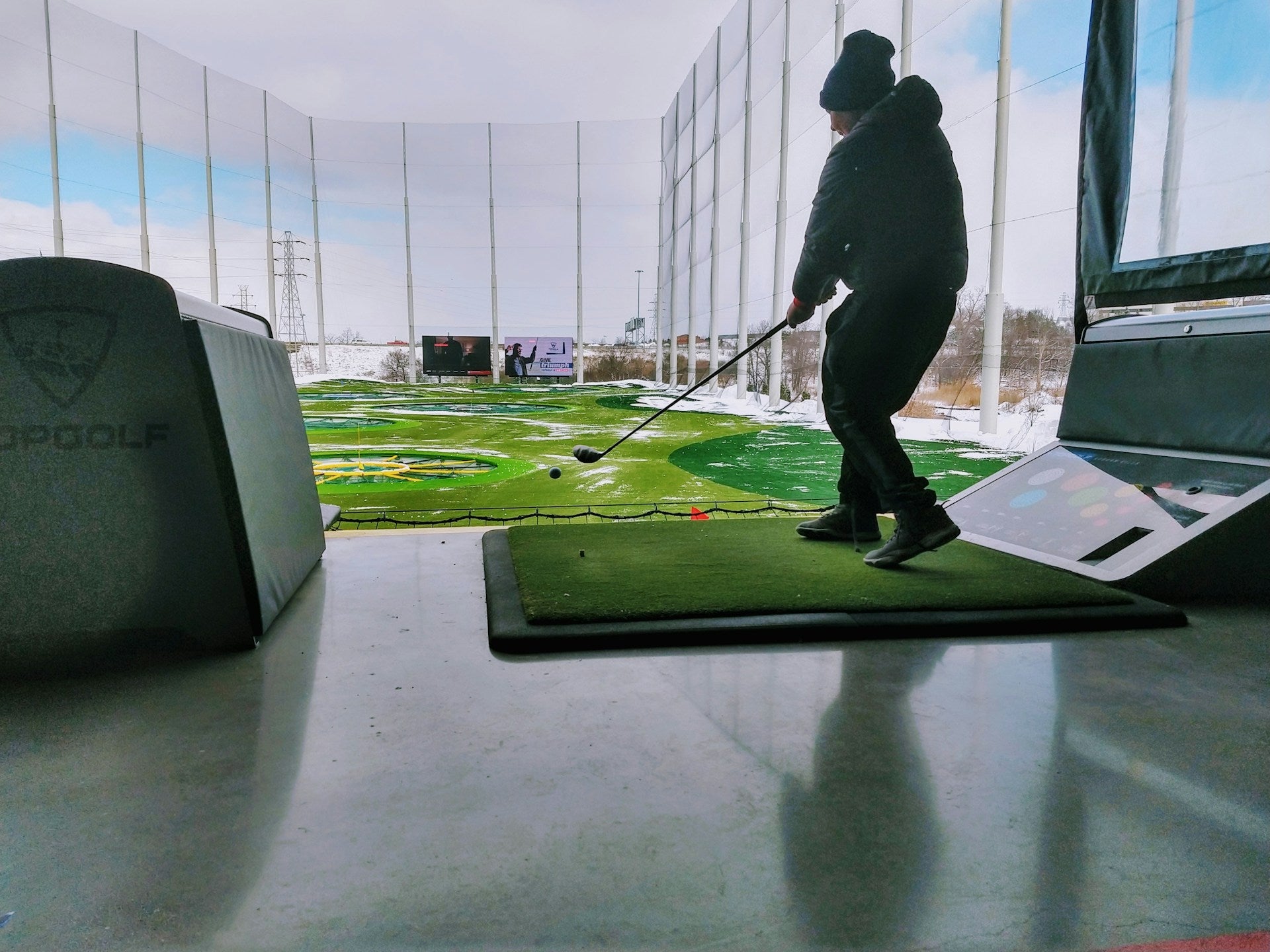
A golf simulator can be a game-changer if you want to practise more often, stay sharp through Canadian winters, or build a home setup that actually gets used. But the best setup is rarely the biggest one. It usually comes down to your space, your budget, and how seriously you want to work on your game.
Some golfers just want a simple indoor practice station with a net and launch monitor. Others want a full home golf simulator with an enclosure, projector, and software that feels close to playing a real round. And if you’re shopping in Canada, there’s a good chance you also care about deal quality, shipping, and whether the gear you buy will actually suit your room.
This guide breaks down what a golf simulator is, what it costs, how much space you need, and how accurate it really is. It also covers ball compatibility, setup choices, and how to buy smarter so you don’t pay for features you won’t use.
What Is A Golf Simulator And How Does It Work?
A golf simulator is an indoor golf setup that uses a launch monitor, software, and a hitting area to recreate golf practice or play inside your home, garage, basement, or studio space. At the simplest level, it lets you hit real golf balls into a net while tracking data. At the more advanced end, it gives you virtual courses, ball flight visuals, and detailed swing analysis that can feel surprisingly close to the real thing.
The basic idea is straightforward. You swing a golf club, the launch monitor captures the shot, and software turns that shot into useful data or a playable screen experience. That can mean ball speed, launch angle, spin rate, carry distance, and sometimes clubface data or club path. If you’ve ever wanted to know why your 7-iron is flying 12 yards shorter than it should, this kind of feedback is gold.
A home golf simulator can range from a very lean practice corner to a full simulator bay with turf flooring, enclosure, projector, and course simulation software. And that flexibility is part of the appeal. You do not need a massive dedicated room to get value out of indoor golf. You just need to match the system to the space.
The main components of a golf simulator
The core pieces are usually the launch monitor, hitting mat, net or impact screen, and software. The launch monitor is the brains of the system. It reads the shot and sends the data to your display device. The hitting mat gives you a stable surface that feels closer to a fairway or tee box than a bare basement floor. A net is enough for basic practice, while an impact screen turns your setup into a more immersive simulator bay.
Projectors and display devices are where the experience starts to separate. If you want a simple practice setup, an iPad, phone, or TV might be enough. If you want full course simulation, you’ll probably want a projector and screen. Software matters too. Some platforms focus on shot tracking and swing analysis. Others lean into virtual courses and realism.
Here’s the practical version:
-
Essential: launch monitor, mat, safe hitting area
-
Helpful: net or impact screen, software, display
-
Optional but valuable: projector, enclosure, indoor turf, premium accessories
If you’re building around value, the launch monitor and mat usually deserve the first dollar. If you’re building around experience, the screen and projector move up fast.
Why golfers use simulators
The biggest reason is obvious: year-round practice. In Canada, that matters. When the weather turns ugly and the range is buried under snow or slush, a golf simulator keeps your swing in motion. That alone makes indoor golf useful for a lot of players who would otherwise lose touch for months.
But it’s not just about convenience. A simulator gives immediate feedback. You can see whether your spin is too high, your launch is too low, or your carry distance is off before you’ve even put the club away. That kind of repetition is hard to beat if you’re trying to improve wedge control, ball striking, or distance gapping.
And honestly, it’s easier to practise when the setup is already in the house. No driving to the range. No waiting for a bay. No fighting the wind. If you’re the type who wants a practice environment that’s always ready, a simulator makes more sense than a once-a-week range trip.
How Much Does A Golf Simulator Cost In Canada?
Golf simulator cost in Canada can vary a lot, but the cleanest way to think about it is by setup tier. A basic setup with a portable launch monitor, net, and hitting mat can start in the low four figures. A more complete mid-range home golf simulator often lands in the several-thousand-dollar range. A premium build with a higher-end launch monitor, projector, enclosure, and installation can climb well past $20,000.
What changes the price most is the launch monitor, then the display and enclosure, then the rest of the build. Software subscriptions, shipping, and exchange rates can also shift the final number. That’s especially true in Canada, where bundle availability and freight costs can change what looks like a good deal on paper.
The smarter question isn’t “What does a simulator cost?” It’s “What kind of simulator do I actually need?” A golfer with a spare room and a winter practice habit may get great value from a mid-range bundle. Someone who just wants to hit balls into a net in the garage might be wasting money on a projector and screen.
Entry-level golf simulator setups
An entry-level setup usually means a portable launch monitor paired with a golf net and a decent hitting mat. This is the most budget-friendly way to get into indoor golf, and it works well if you want feedback without turning your room into a full simulator bay.
This tier is often best for golfers who care more about practice than spectacle. You’ll get shot tracking, basic swing analysis, and useful practice data, depending on the launch monitor. But you probably will not get the kind of immersive visual experience people associate with a full home golf simulator.
A typical entry-level setup is a smart choice if you:
-
want to keep costs under control
-
have limited room
-
care about ball flight data more than course graphics
-
plan to upgrade later
It’s also a nice path if you’re testing whether indoor golf will actually stick. A lot of people think they want a full build. Then they realize a simple, portable setup gets used more.
Mid-range golf simulator packages
This is the sweet spot for a lot of serious golfers. Mid-range golf simulator packages usually include a stronger launch monitor, a better hitting mat, an impact screen, an enclosure, and maybe a projector. The result is more realistic, more immersive, and much easier to use as a true practice room.
You start to get a system that feels less like “hit balls into a net” and more like actual indoor golf. The visuals improve, the setup feels cleaner, and the data is usually good enough to support meaningful swing work. If you’re chasing better wedge practice, distance control, or course simulation, this is where the value starts to climb fast.
This tier tends to make the most sense for golfers who play often, train seriously, or want a setup that other people in the household will actually enjoy using. It’s also the point where bundle pricing matters a lot. A well-matched package can save you money compared with piecing together every item one by one.
Premium golf simulator builds
Premium builds are for dedicated golfers who want elite accuracy, a polished look, and a full-time indoor golf room. These setups often use overhead launch monitors or advanced camera-based systems, high-resolution projection, custom enclosure work, and professionally planned bay dimensions.
The price climbs because the experience changes. You’re paying for better measurement, cleaner presentation, and less compromise. That said, premium does not automatically mean necessary. If your room is small or your practice goals are basic, some of that spend can be overkill.
Premium builds usually make sense when:
-
you have a dedicated room or large garage bay
-
you want highly detailed club data
-
you value realism and visual quality
-
you’re building a long-term home golf room
For most buyers, the smartest move is to know whether they want premium performance or premium appearance. Sometimes those are the same thing. Sometimes they are definitely not.
What Size Room Do You Need For A Golf Simulator?
Room size is where a lot of buyers get stuck, and fair enough. A golf simulator can look simple online and feel complicated once you start measuring your basement ceiling or garage width. The main things you need are enough width to swing safely, enough height for the club to travel freely, and enough length to keep the ball flight, screen distance, and hitting position working properly.
A practical indoor golf setup usually needs around 9 to 10 feet of ceiling height, though taller golfers may want more. Width often lands around 10 to 12 feet if you want a comfortable single-bay setup. Length can vary more, but 15 to 20 feet is a useful starting point for many home golf simulator plans. If you’re trying to fit a dedicated simulator bay into a basement, those numbers matter a lot.
And here’s the thing: the room does not need to be perfect. It needs to be workable. A portable launch monitor setup can tolerate tighter dimensions than a full enclosure and projector build. If you have a spare room or a garage with a slightly awkward layout, you may still have a very good setup on your hands.
Minimum room dimensions to consider
At a bare minimum, focus on three measurements: ceiling height, width, and swing space. A golfer with a short compact swing and a wedge-heavy practice routine may get by with less room than someone who takes a full driver cut. Longer clubs need more clearance, and taller players often need more ceiling height than they expect.
As a rough guide, many golfers look for:
-
ceiling height: 9 feet or more
-
room width: 10 feet or more
-
room length: 15 feet or more
That said, the exact numbers depend on your swing and setup style. A radar launch monitor may need more ball flight space, while some photometric systems work better in tighter environments. If you plan to use a projector and impact screen, you also need room for screen setback, hitting distance, and safe swing clearance.
Basement, garage, and spare room setup considerations
Basements are popular in Canada for a reason. They’re often the only places with enough enclosed space for a simulator bay, and they naturally support year-round practice. But basements can also bring low ceilings, support posts, and lighting issues. If your ceiling has beams, ducts, or bulkheads, you need to measure them carefully before buying anything.
Garages are another strong option, especially if you want a flexible or semi-portable setup. The downside is noise, temperature swings, and sometimes uneven flooring. If you share the garage with winter storage, bikes, or household gear, you’ll want a setup that packs down cleanly. A multi-use room can work too, but it usually demands smarter alignment, ball placement, and protective enclosure planning.
If you want a tidy setup, think about more than just the hitting zone. You’ll also want:
-
safe side clearance for left-handed and right-handed players
-
lighting that does not interfere with tracking
-
enough room for projector placement
-
space for turf flooring or a simulator mat
-
neighbour-friendly noise control if you’re in an apartment or townhouse
How Realistic And Accurate Are Golf Simulators?
A good golf simulator can be impressively accurate, but realism depends on the technology and the setup quality. That’s the honest answer. The best systems give you reliable ball flight data and useful feedback for practice. But the overall feel can still vary depending on the launch monitor, software, hitting surface, and how well the room is built.
If you care about swing improvement, accuracy matters more than flashy graphics. A launch monitor that consistently measures ball speed, spin rate, and carry distance gives you data you can actually use. If you care more about playing virtual courses with friends, realism starts to include visuals, ball reaction on greens, sound, and the quality of the software package.
The mistake many buyers make is assuming every simulator delivers the same kind of realism. It does not. Some systems are better for raw data. Others are better for entertainment. Some do both fairly well, but usually at a higher price.
What simulators measure well
Golf simulators are strongest when measuring full shots. Ball speed, launch angle, spin rate, and carry distance are the headline numbers. Many systems also give you club path, clubface data, and shot shape tendencies, which can be incredibly useful if you’re trying to fix a slice or get more consistent contact.
This is where indoor golf earns its keep. You can test different balls, clubs, and swing changes without guessing. If your wedge shots are spinning too much or your driver launch is too low, the simulator makes that visible fast.
The best use case is repeatability. Hit 10 shots with the same club and same ball, and you start seeing patterns instead of hunches. That’s valuable whether you’re a single-digit handicap or just trying to break 100 more often.
Where simulators are less realistic
Putting is the obvious weak spot. Chipping can also feel different depending on the mat, software, and how your system handles short-game shots. Even a strong setup can struggle to make those shots feel identical to real turf. That doesn’t mean the simulator is bad. It just means it’s better at some parts of golf than others.
Surface consistency is another issue. A hitting mat is not a fairway. An indoor putting surface is not a green. And if the enclosure, screen, or lighting is poorly set up, the whole experience can feel a bit flat. That’s why people who buy cheap and skip the basics sometimes end up disappointed.
The best expectation is this: use a simulator for ball striking, distance control, wedge practice, and repetition. Treat putting and delicate short game work as a bonus, not the main event.
Radar vs photometric vs overhead systems
A radar launch monitor tracks the ball using radar waves. It often works well outdoors and in larger indoor spaces, but it may need more room for ball flight. A photometric launch monitor uses high-speed cameras to capture impact and ball movement. These can be excellent for compact indoor spaces and often give strong short-range precision. Overhead systems sit above the hitting area and can feel very polished, especially in a permanent simulator bay.
In plain terms:
-
radar: strong for ball flight tracking, may need more room
-
photometric: great for indoor accuracy, often compact-friendly
-
overhead: clean, premium, ideal for dedicated rooms
There is no single winner. The best one depends on your room, budget, and whether you want portability or a fixed install.
What Type Of Golf Balls Work Best In A Simulator?
Ball choice matters more than most people expect. Many golf simulators work with standard real golf balls, but some launch monitors read certain balls better than others. If you’re using a radar-based system, marked balls or RCT golf balls can sometimes improve tracking. Camera-based systems often work very well with standard balls, but the details depend on the model and software.
For most golfers, the main question is simple: do you need to buy special balls? Sometimes yes, sometimes no. If your system specifically recommends RCT or marked balls, listen to that. If not, your normal gamer ball may be fine. The goal is reliable data without creating extra hassle.
And if you’re practising in a small room, ball choice can also be about safety. You may prefer practice balls or foam balls in tighter spaces, but that usually comes with trade-offs in accuracy and realism.
Real golf balls vs marked balls
Real golf balls are the standard choice for most simulator setups. They feel right, spin naturally, and give you the best sense of real contact. If your launch monitor is designed to read them well, that’s usually the best starting point.
Marked balls, including RCT-style options, help some systems track rotation more accurately. That can matter if your simulator relies on visual spin reading or if you want cleaner data on launch and shot shape. If you’re using one of these systems, the small investment in the right ball type can improve consistency.
A good rule: use the ball the system was built for. That’s the easiest way to avoid weird data, frustration, or false confidence.
When practice balls or foam balls make sense
Practice balls and foam balls are useful when space is tight or safety is a concern. If you’re in a garage with a hard back wall, a basement with limited clearance, or a shared room with fragile surroundings, they can help reduce risk. They’re also handy for very light swing work or junior golfers.
The trade-off is accuracy. A foam ball does not fly like a real golf ball, and most practice balls will not give you the same feedback as a premium urethane ball. So use them for what they are: safer, simpler training tools. Not replacements for real-ball simulator practice.
Check also: Golf Training Accessories
How To Choose The Right Golf Simulator For Your Goals
The best golf simulator is the one you’ll actually use. That sounds simple, but a lot of buyers get pulled toward features they do not need. If you’re a beginner, a portable setup may be plenty. If you’re a serious golfer, you may need more accurate data and a better visual experience. If you’re building a premium home golf room, you’ll want to plan around realism, room layout, and long-term comfort.
Your goals should drive the setup. If your goal is to get better through winter, prioritise feedback and convenience. If your goal is family entertainment, course simulation and display quality matter more. If your goal is lower scores, the data and consistency need to be strong enough to trust.
A smart buyer also thinks about the upgrade path. You do not need to buy the perfect setup on day one. You can start with a launch monitor and net, then move to an enclosure and projector later. That approach keeps you from overspending before you know how much you’ll use the system.
Best for beginners
Beginners usually do best with a simple, portable simulator setup. A portable launch monitor, a solid hitting mat, and a net are enough to build confidence without turning the purchase into a major home project. This keeps the cost manageable and makes it easier to practise often.
What matters most at this stage is feedback and repetition. You want to know whether you’re making clean contact, how far your shots are carrying, and what your normal miss looks like. Fancy graphics can wait.
Best for serious practice
If you already care about ball flight data, launch angle, spin rate, and club path, you’ll want a more capable launch monitor and a better display setup. This is where mid-range and premium packages start making a lot of sense. A strong impact screen, a quality enclosure, and software with useful practice features can make sessions much more productive.
This is also the stage where short game practice, wedge gapping, and distance control become more meaningful. You can build a setup that supports real improvement instead of just casual swings.
Best for a premium home golf room
A premium room is about immersion as much as performance. That means a cleaner enclosure, better projection, strong lighting control, and a launch monitor that gives you high-confidence data. If you have the space and the budget, this kind of setup can become the centrepiece of a winter training room or dedicated golf space.
Just make sure the room actually supports the vision. A premium system in a cramped room is usually a disappointment. A well-planned mid-range setup in the right room often feels better than an overbuilt premium system that had to be squeezed into the wrong space.
Golf Simulator Buying Tips To Get The Best Value
If you want the best value, buy the parts that affect performance first. The launch monitor matters more than the projector. The hitting mat matters more than fancy visuals. And if your room is tight, an enclosure that fits properly is worth more than one that looks good in a brochure.
A lot of buyers overspend on the visible stuff and underbuy the functional stuff. That’s backwards. A great-looking setup with a mediocre mat or weak tracking system can be frustrating to use. A simpler setup with strong data and a good hitting surface can actually help your game more.
This is also where Canadian shopping context matters. Bundle pricing, shipping fees, and local availability can change the real value of a purchase. If two packages look similar, compare what’s included, what’s missing, and whether you’ll need to source extra parts later.
Buy the components that matter most first
If your budget is limited, start with the launch monitor and hitting mat. Those two pieces shape your experience more than anything else. A good mat protects your joints and gives you a realistic strike surface. A reliable launch monitor gives you the data that makes indoor practice worthwhile.
Then build around that. Add a net first if you need containment. Move to an impact screen and enclosure when you’re ready for a more immersive room. This approach gives you flexibility and keeps your setup aligned with your actual usage.
Look for bundles and package deals
Bundles can save money and simplify the whole process. A golf simulator package often combines a launch monitor, mat, screen, or enclosure in a way that cuts guesswork. That matters if you do not want to spend hours checking compatibility between individual parts.
Package deals are especially useful when you want to get into indoor golf without piecing together every item separately.
Is A Golf Simulator Worth It?
For the right golfer, yes. A golf simulator is worth it if you play often, want year-round practice, and like data that helps you improve. In Canada, the winter factor alone can make it an excellent investment for committed players. If your normal season gets interrupted for months, a simulator helps you keep your timing, contact, and confidence from going stale.
It’s also worth it if you enjoy having a practice space at home. Some golfers use theirs for serious work. Others use it to hit a small bucket of balls after dinner or play a round on a virtual course with friends. Either way, the convenience is real.
But it is not the right answer for everyone. If you rarely practise, have very limited space, or want a perfectly realistic short-game experience, a simulator may frustrate you. The value is highest when you’ll use it enough to justify the investment.
Who benefits most from a simulator
Frequent golfers get the most out of a simulator. So do players who want winter training, data-driven feedback, or a place to practise without leaving home. Families can also get good value if the setup doubles as entertainment.
If you’re the kind of golfer who likes to test clubs, chase better distances, and see exact numbers, indoor golf fits that mindset well. It rewards repetition. It rewards curiosity. It rewards players who want a more measurable practice routine.
When a simulator may not be worth it
If your budget is tight, a full build can feel excessive. If your space is awkward or your ceiling is too low, forcing a simulator into the room can create more annoyance than enjoyment. And if you mainly care about wedge feel, chipping texture, or putting realism, you may still prefer real turf and outdoor practice when possible.
A simulator is a tool. A strong one. But it works best when the room, the golfer, and the budget all make sense together.
Where To Find Great Golf Simulator Deals In Canada
If you’re ready to buy, focus on trusted Canadian availability, good bundle value, and brand-name gear that fits your room. That combination keeps the process simpler and usually saves you from the hidden costs that pop up when you chase the cheapest option from the wrong source.
The best buys are the ones that balance performance and practicality. You want a setup that matches your room, gives you the data you need, and leaves room to upgrade later if you want more realism. That is where value really lives.
For Canadian golfers, it also helps to shop where fulfilment is straightforward and the product mix is built for local buyers. If you’re comparing launch monitors, mats, and indoor practice gear, a retailer that understands Canadian shipping and pricing can make the whole process easier.
Shop top-brand golf simulator gear with Canadian convenience
Look for top-brand products, clear deal pricing, and support that makes sense for Canadian customers. That matters more than people think, especially when you’re buying something as room-specific as a simulator setup. A good retailer should help you compare options without pushing you into a build that does not fit.
You can also compare simulator-related gear with other practice essentials like golf simulator launch monitors, golf nets, and training aids if you’re still deciding whether to go all-in or build gradually.
Build your setup based on budget and space
The smartest setup is usually the one you can grow into. Start with the essentials. Add the screen, enclosure, and projector when the room and budget are ready. That way, you spend where it matters and avoid paying for a premium look before you need one.
If you want, you can also combine simulator planning with your broader home practice goals. A solid hitting mat, a good ball choice, and a launch monitor can carry a lot of weight on their own. The rest is refinement.
FAQ
How much does a golf simulator cost in Canada?
A basic setup can start around the low four figures, while a more complete home golf simulator often ranges from several thousand dollars to well over $20,000 depending on the launch monitor, enclosure, projector, and installation quality.
What size room do I need for a golf simulator?
Most setups need enough room for a full swing, safe side clearance, and adequate ceiling height. A taller golfer or longer clubs may require more space than a compact basement setup.
Are golf simulators actually accurate?
Yes, high-quality golf simulators can be very accurate for measuring ball speed, launch angle, spin, and carry distance. Accuracy depends heavily on the launch monitor and how well the system is set up.
Can I use real golf balls in a simulator?
In most cases, yes. Many simulators are designed for standard golf balls, though some radar-based systems may work better with marked or RCT balls for improved data capture.
Is a golf simulator worth it for average golfers?
It can be worth it if you play regularly, want year-round practice, and value data-driven improvement. If space and budget are limited, a more basic setup may be the smarter choice.
What is the difference between a golf net and a golf simulator?
A golf net is mainly for ball containment and practice. A golf simulator adds shot-tracking technology and software so you can see data and often play virtual courses.
What is the best type of golf simulator for home use?
The best type depends on your goals. Portable launch monitor setups suit budget-conscious golfers, while full enclosure and projector systems are better for a more immersive experience.
Final Thoughts
A golf simulator can be a brilliant investment if it fits your space, your budget, and how you like to practise. The main job is simple: give you a place to hit real balls, collect useful data, and keep your swing active when outdoor golf is not an option. But the right setup depends on your room size, how much realism you want, and whether you’re building something portable, mid-range, or premium.
If you remember one thing, make it this: spend first on the pieces that affect performance. A solid launch monitor, a good hitting mat, and a setup that fits your room will do more for your game than a fancy room that feels awkward to use. And if you’re shopping in Canada, it pays to look for strong deals, reliable fulfilment, and gear that matches your actual goals instead of the biggest bundle on the page.
For Canadian golfers who want value without the guesswork, Just Golf Stuff is a smart place to start browsing top-brand gear, golf simulator accessories, and deal-driven options that make building a home golf setup a lot easier.